
GPU Workstation or GPU Server? A Decision Guide
Choose a GPU workstation when one person needs GPU power at their desk for development, fine-tuning experiments, or content creation — typically 1–4 GPUs, deskside, single-user. Choose a GPU server when the GPUs must be shared across a team, run 24/7 in a rack, serve production inference, or scale past four GPUs. The dividing line is simple: personal and interactive → workstation; shared, always-on, or production → server.
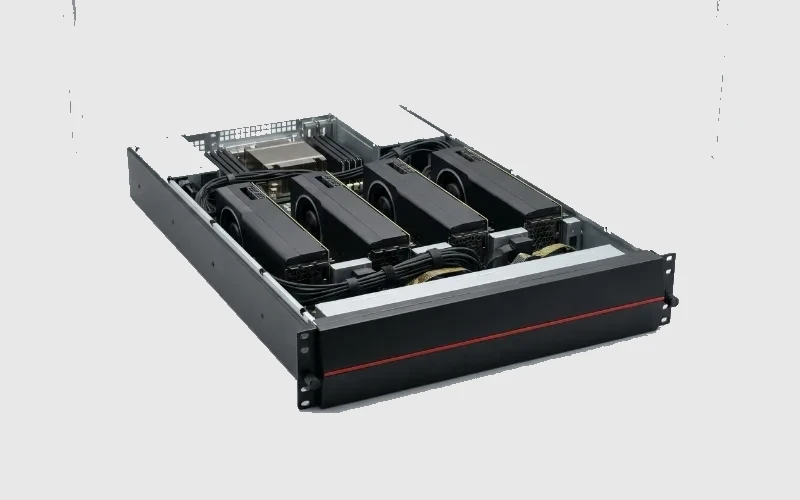
TL;DR — the cutoff
- Workstation: 1 user · 1–4 GPUs · deskside · dev, experiments, imaging, creative work.
- Server: many users · 4–8+ GPUs · rack · 24/7 · production inference and training.
- Rule: personal + interactive → workstation; shared + always-on + production → server.
- Mixed need? Start with a workstation to prototype, move to a server when you productionize.
What this covers
Which form factor fits your AI work — a deskside GPU workstation or a rack-mounted GPU server — and the signals that tell you which. It's a form-factor decision; the sizing guides cover how many GPUs.
When a workstation is right
- Single user, interactive. A developer, data scientist, radiologist, or 3D artist working hands-on.
- Development & experiments. Prototyping models, small fine-tunes (QLoRA on one GPU), local inference.
- Quiet, deskside operation. No rack, no data-center power/cooling; standard office environment.
- 1–4 GPUs. Enough for a single-user workflow, including a 70B model on one high-memory GPU.
When a server is right
- Shared across a team. Many users hitting the GPUs — production inference, a private ChatGPT, RAG.
- Always-on / 24/7. Rack-mounted, redundant power, remote-managed.
- Multi-GPU scale. 4–8+ GPUs with NVLink for full fine-tuning or larger models.
- Data-center facility. Proper power, cooling (air or liquid), and networking.
The decision, in one table
Table 1 — Workstation vs server.
| Signal | Workstation | Server |
|---|---|---|
| Users | 1 (interactive) | many (shared) |
| GPUs | 1–4 | 4–8+ |
| Duty cycle | working hours | 24/7 |
| Location | desk/office | rack/data center |
| Typical job | dev, experiments, creative | production inference, training |
Assumptions & scope
A form-factor guide; exact GPU counts come from the sizing guides. Some workloads legitimately use both — prototype on a workstation, productionize on a server.
Where RDP GPU Mart fits
RDP GPU Mart builds both — CARINA/QUASAR/DRACO AI workstations for the desk and GPU servers for the rack — so you can start where your work is today and scale to shared, always-on infrastructure, all India-built, INR-transparent, and DPDP-aware. *(Compare workstations and servers or request a quote at RDP GPU Mart.)*
FAQ
Workstation or server for AI development? A workstation for single-user, interactive development and experiments; a server once the GPUs are shared, always-on, or in production.
Can a workstation run a 70B model? Yes — for one user, a single high-memory GPU (e.g. H200 141 GB) serves a 70B at FP8; move to a server for multi-user serving.
When do I need multiple GPUs in a server? For full fine-tuning, larger models, or high concurrency — typically 4–8+ GPUs with NVLink.
Can I start on a workstation and scale later? Yes — prototype on a workstation, then move the workload to a GPU server when you productionize.
—
Related
- Best On-Prem Setup for a Startup Training Small LLMs (<13B)
- How Many GPUs for a 100-User Private ChatGPT?
- Reference Architecture: 8× H200 On-Prem AI Training Node
Research log (Rule #1)
1. NVIDIA — H200 datasheet (single-GPU 70B capability). https://www.nvidia.com/en-us/data-center/h200/ 2. VRLA Tech (2026) — AI workstation guidance (single-user use cases). https://vrlatech.com/ai-workstation-for-healthcare-and-medical-imaging-in-2026/ 3. Spheron (2026) — fine-tune VRAM (QLoRA single-GPU on workstation). https://www.spheron.network/blog/gpu-vram-requirements-fine-tune-llm-2026/ 4. Lyceum (2026) — concurrent users per GPU (server serving). https://lyceum.technology/magazine/llm-inference-tokens-per-second-comparison-2026/ 5. Atlantic.net (2026) — GPU tiers for training vs inference. https://www.atlantic.net/gpu-server-hosting/top-nvidia-gpus-for-ai-training-and-inference/
If the decision points toward desk-side compute, compare current GPU workstation options in India from RDP before moving to shared GPU server sizing.
Ready to deploy?
Talk to an RDP architect about power, cooling and lead time.