
Right-Sizing a GPU Server for Enterprise RAG
In a Retrieval-Augmented Generation (RAG) stack, the generator LLM dominates GPU sizing — a 70B model needs ~1 GPU (H200) at FP8/4-bit — while the embedding model and vector database are comparatively light (a fraction of one GPU and CPU/RAM respectively). Size the LLM for your concurrency first; the retrieval layer rarely needs its own accelerator until very high query volumes.
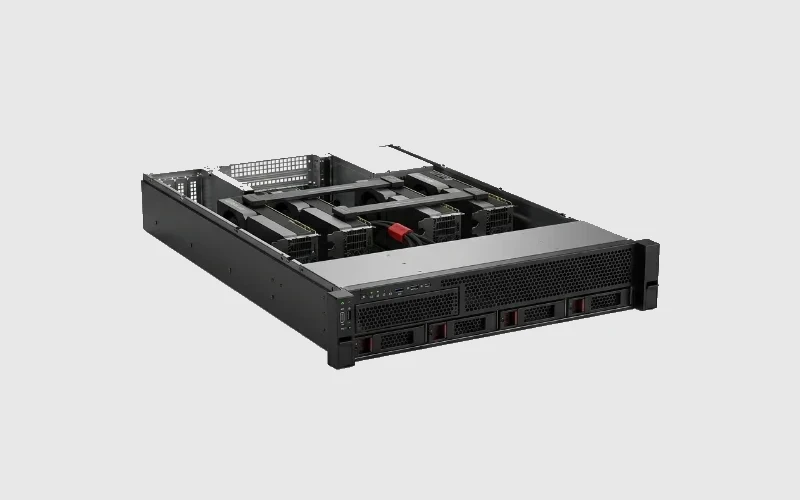
TL;DR — the decisions
- Generator LLM = the GPU driver. 70B → 1× H200 (141 GB) serves it plus KV cache; 8B/13B → a fraction of a GPU.
- Embeddings are cheap. A sentence/embedding model runs on a small slice of one GPU or a shared GPU.
- Vector DB is CPU/RAM/SSD-bound, not GPU-bound, until you reach billions of vectors.
- Concurrency sets GPU count: ~80–120 concurrent chat users per H100-class GPU for an FP8 mid-size model (Lyceum, 2026).
What this sizes
The GPU/server footprint for an enterprise RAG deployment: the generator LLM, the embedding model, and where the vector database sits. It assumes an on-prem or in-country deployment; training/fine-tuning is covered separately.
The three components, by cost
- Generator LLM (dominant). This is where the VRAM goes. Use the inference math: 70B ≈ 140 GB (FP16) → 1× H200 at FP8/4-bit; a 13B fits comfortably on a single 24–48 GB GPU. → *How Much VRAM for a 70B / 405B LLM?*
- Embedding model (light). Embedding queries and documents uses a small model (often <1 GB) — a slice of one GPU, frequently co-located with the LLM host.
- Vector database (not GPU-bound). Retrieval over embeddings is CPU-, RAM-, and SSD-bound. Size it by vector count and index type; it needs its own GPU only at billions-of-vectors scale with GPU-accelerated indexes.
Worked example — internal RAG assistant, ~500 staff
Assume ~500 employees, a 1:10–1:20 active-to-total ratio → ~25–50 concurrent users, on a 70B generator.
Table 1 — RAG stack sizing (worked).
| Component | Resource | Sized for this example |
|---|---|---|
| Generator LLM (70B, FP8) | GPU VRAM | 1× H200 (141 GB) — model + KV cache; headroom for ~80–120 concurrent |
| Embedding model | GPU slice | shares the LLM GPU or a small dedicated slice |
| Vector DB | CPU/RAM/SSD | 64–256 GB RAM + fast NVMe; no GPU until billions of vectors |
| Orchestration/API | CPU | modest |
Reading Table 1: a single well-chosen GPU server handles a 500-person RAG assistant. Scale GPUs when concurrency (not corpus size) grows past one GPU's throughput.
Assumptions & scope
FP8 mid/large model; concurrency estimated from active-to-total ratios; retrieval assumed on standard vector indexes. Validate token throughput and latency on your stack (vLLM/TensorRT-LLM) and corpus. Estimates, not a quote.
Where RDP GPU Mart fits
RDP GPU Mart builds single- and multi-GPU H200 servers ideal for RAG — enough VRAM to hold the generator plus KV cache and co-host embeddings — India-manufactured, INR-transparent, DPDP-aware for keeping your corpus in-country. *(Configure a RAG server or request a quote at RDP GPU Mart.)*
FAQ
What drives GPU sizing in a RAG system? The generator LLM — its weights + KV cache. Embeddings and the vector DB are comparatively light.
Does the vector database need a GPU? Usually no — it's CPU/RAM/SSD-bound; GPU-accelerated indexes matter only at billions of vectors.
How many users can one GPU serve for RAG? Roughly 80–120 concurrent chat users on an H100-class GPU for an FP8 mid-size model, i.e. hundreds of total users (Lyceum, 2026).
One server or many for enterprise RAG? One GPU server typically covers a few hundred staff; add GPUs when concurrency, not corpus size, exceeds throughput.
—
Related
- How Much VRAM for a 70B / 405B LLM (Inference)?
- How Many GPUs for a 100-User Private ChatGPT?
- Storage Architecture for AI Training
Research log (Rule #1)
1. Lyceum (2026) — LLM tokens/sec + concurrent-user benchmarks. https://lyceum.technology/magazine/llm-inference-tokens-per-second-comparison-2026/ 2. DigitalOcean (2026) — vLLM GPU sizing (weights + KV cache). https://www.digitalocean.com/community/conceptual-articles/vllm-gpu-sizing-configuration-guide 3. apxml (2026) — model VRAM by size/precision. https://apxml.com/models/llama-3-1-405b 4. NVIDIA — H200 datasheet (141 GB). https://www.nvidia.com/en-us/data-center/h200/ 5. iternal.ai (2026) — on-prem AI hardware sizing (RAG components). https://iternal.ai/hardware-sizing-guide
Ready to deploy?
Talk to an RDP architect about power, cooling and lead time.