
Small Language Models and the NPU Myth: What Actually Runs Locally in 2026
Overview
Two things became true at once in 2026: small language models got good enough to carry real work, and the marketing around “AI PCs” got well ahead of what the silicon actually does. A 3–9B model running locally now handles the bulk of a typical agentic loop — parse an input, call a tool, format a result — faster and more privately than a frontier model behind an API. But the NPU is not what runs it. This article separates the two, so you buy the right machine for local AI instead of the one with the biggest TOPS number on the box.
Key takeaways
- 3–9B models carry the agentic loop — parsing, tool calls and structured output rarely need a frontier model.
- Latency is a feature: local inference removes the hundreds of milliseconds of network round-trip per call.
- NPUs are real but narrow — Snapdragon X2 reaches ~75 TOPS and Apple’s M5 Neural Engine ~38 TOPS, good for small sustained models.
- The NPU will not run a 70B model — and as of mid-2026 Ollama, llama.cpp and LM Studio do not route to the NPU at all; they use the GPU or CPU.
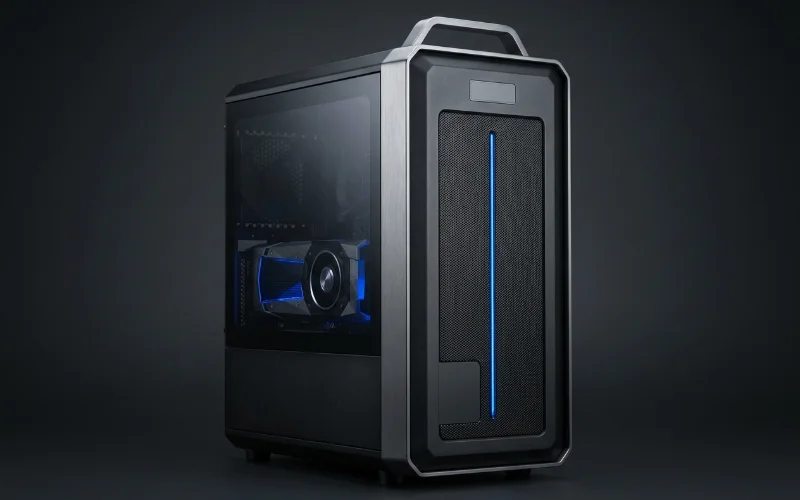
- If you want large local models, buy VRAM, not TOPS — that is a GPU workstation decision, not an AI PC one.
Why small models became the default local choice
The shift is economic as much as technical. Most production AI work is not open-ended reasoning; it is a loop — read an input, decide, call a tool, return a structured result. A 3–9B model does that competently, and doing it on the machine where the data already sits is faster, cheaper and simpler to govern than sending each step to a cloud endpoint. 2026 supplied the models to match the thesis: Microsoft’s Phi-4, Google’s Gemma 4, Alibaba’s Qwen3 and Meta’s Llama 3.2, alongside runtimes such as Ollama’s MLX backend and Apple’s Foundation Models framework that make local execution routine rather than a science project.
What the NPU actually does
NPUs are genuinely capable within their lane. Qualcomm’s Snapdragon X2, launched in early 2026, delivers up to 75 TOPS of NPU performance — enough to run several small models concurrently at low power. Apple’s M5 carries a 40-core Neural Engine rated above 38 TOPS, and processes standard Apple Intelligence tasks entirely on-device with nothing sent to Apple’s servers. For always-on, low-power, small-model features, that is exactly the right silicon.
The caveat nobody puts on the box
Two limits matter before you spend. First, an NPU is not a path to large models: it is designed for small, sustained workloads and OS-level AI features, not 70B inference. Second — and this surprises most buyers — the mainstream local-LLM runtimes do not use the NPU at all. As of mid-2026, Ollama, llama.cpp and LM Studio run on the integrated GPU or the CPU. They load GGUF models; the NPU needs models hand-converted to ONNX and compiled for the vendor’s execution provider. So the TOPS figure on the spec sheet has, for most people’s actual local-AI workflow, no effect whatsoever.
Choosing the right machine
- Small models, always-on, battery-sensitive — an AI PC with a capable NPU is a good fit: assistants, transcription, OS-level features, light agentic loops.
- Mid-size models, daily iteration — a GPU workstation. The number that governs your model size is VRAM, not TOPS.
- Large local models (70B and up) — 96 GB on a single card, or 192 GB pooled over NVLink. No NPU participates in this at all.
- Many concurrent users — leave the desk entirely; that is a GPU server workload.
AI PC vs GPU workstation at a glance
| Dimension | AI PC (NPU-led) | GPU workstation |
|---|---|---|
| Typical model size | ~3–9B small models | Mid-size to 70B+ |
| Governing spec | NPU TOPS (~38–75) | VRAM (96 GB single, 192 GB pooled) |
| Used by Ollama / llama.cpp / LM Studio | No — runs on iGPU or CPU | Yes — GPU accelerated |
| Model format | ONNX, vendor-compiled | GGUF and standard frameworks |
| Best for | Always-on assistants, OS AI, light agents | Fine-tuning, large local inference, prototyping |
| Power profile | Low, battery-friendly | Desk-side, mains powered |
What this means for Indian teams
The privacy argument is the same one that makes local hardware attractive under the DPDP Act: if the model runs on the device, the data never leaves it, and an entire class of transfer and audit questions disappears. But the buying decision has to be honest. A fleet of NPU laptops is the right answer for on-device assistants and light agentic work across a workforce. It is the wrong answer if the actual requirement is a private 70B model for a risk, legal or clinical team — that needs VRAM at the desk, and no amount of TOPS substitutes for it.
Frequently asked questions
Can an NPU run a 70B model?
No. NPUs are built for small, sustained on-device models and OS-level AI features. Running a 70B model locally is a VRAM problem — it needs 96 GB on a single GPU at Q8, or 192 GB pooled — and the NPU plays no part in it.
Do Ollama and LM Studio use the NPU?
As of mid-2026, no. Ollama, llama.cpp and LM Studio run on the integrated GPU or CPU. They load GGUF-format models, whereas the NPU requires models hand-converted to ONNX and compiled for the vendor’s execution provider.
How big a model do I actually need for agentic work?
Usually 3–9B. Most agentic loops parse an input, call a tool and format a structured result — work a small model handles well, faster than a cloud call because there is no network round-trip.
Which small models matter in 2026?
Microsoft’s Phi-4, Google’s Gemma 4, Alibaba’s Qwen3 and Meta’s Llama 3.2 are the practical on-device bench, supported by runtimes such as Ollama’s MLX backend and Apple’s Foundation Models framework.
Should I buy an AI PC or a GPU workstation?
Buy an AI PC for always-on small-model features at low power. Buy a GPU workstation if your model size, fine-tuning or large local inference matters — in that case VRAM is the spec that decides, not NPU TOPS.
Ready to deploy?
Talk to an RDP architect about power, cooling and lead time.